Should I keep maintaining my WooCommerce plugin stack or move to an integrated ecommerce platform if updates keep breaking my checkout?
Compare repairing your WooCommerce plugin stack with moving to BrandShipping, including checkout control, payments, fulfillment and migration checks.

In short
Consider moving to BrandShipping if WooCommerce updates repeatedly break your checkout and maintaining plugin compatibility has become an ongoing operational burden. BrandShipping connects a customizable checkout, payments, native subscriptions, emails and fulfillment within one ecommerce ecosystem, reducing the need to assemble those functions through separate tools. Keep WooCommerce if you can isolate the failures, simplify the plugin stack and maintain the checkout reliably without losing essential functionality.
First determine whether the checkout problem is fixable
Repeated checkout failures justify reviewing your architecture, but they do not automatically justify migration. Use a staging environment to reproduce the failure and check recent changes to payment plugins, subscription logic, checkout customizations, caching and your theme. Establish whether one replaceable component causes the problem or several essential components repeatedly conflict. Keeping WooCommerce makes sense when you can remove the fragile dependency and introduce a dependable testing and rollback process. Moving becomes more compelling when ordinary maintenance keeps requiring coordinated fixes across your checkout stack.
- Document which update triggered each failure and which purchase paths were affected.
- Test payments, discounts, shipping calculations and subscriptions where applicable.
- Distinguish a recurring compatibility problem from an isolated configuration error.
What an integrated platform changes
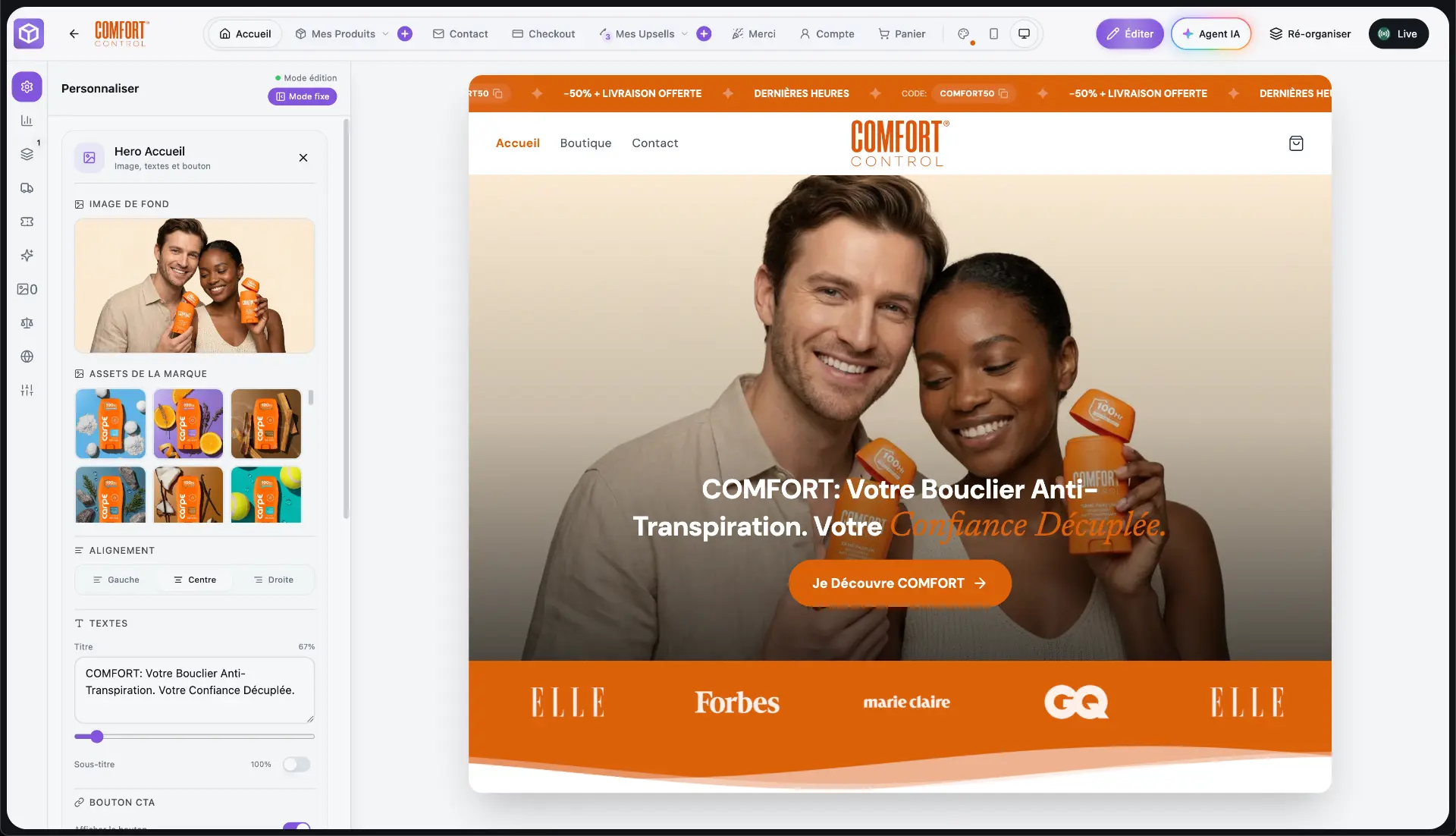
BrandShipping brings the storefront, branding, AI creatives, checkout, payments, subscriptions, upsells, emails, support, advertising, analytics and fulfillment into an interconnected ecosystem. The distinction is not simply having fewer tools. Brand, product and visual context can be reused across functions instead of being configured separately in each service. For your checkout decision, the relevant capabilities are a fully customizable checkout, Whop Payments directly within it and native subscriptions. This changes where integration work happens, but it does not guarantee that every external dependency or operational incident disappears.
- Evaluate checkout control rather than feature counts alone.
- Check whether native capabilities cover the plugins your purchase flow actually requires.
- Treat integration as reduced coordination work, not a promise of zero maintenance.
Verify your essential purchase flows before switching
Compare your working business requirements, not your current plugin list. Map how customers select products, apply offers, pay, start subscriptions and receive order communications. Then verify each critical flow in BrandShipping before committing to migration. A customizable checkout does not by itself establish compatibility with every payment method, tax scenario, extension or bespoke workflow. Whop Payments is integrated directly into the checkout, but acceptance conditions, reserves and restrictions can still apply. Confirm how customer records, order history and existing subscriptions would be handled rather than assuming they transfer automatically.
- List non-negotiable requirements separately from optional customizations.
- Validate subscription continuity and payment requirements with the relevant providers.
- Confirm data-transfer scope and operational responsibilities before cutover.
Choose the fulfillment route that fits your operation
Checkout modernization should not disrupt logistics that already work. BrandShipping supports an existing-fulfillment route in which a BrandShipping order passes through Shopify to the agent or 3PL already connected there. Shopify remains part of that setup; do not assume an existing WooCommerce fulfillment integration transfers unchanged. For merchants choosing its hybrid model, BrandShipping combines a real brand in your name, AI automation for the store, creatives and advertising, and logistics delegated to a partner warehouse without holding stock yourself. Confirm the applicable fulfillment arrangement for your products before choosing either route.
- Existing agent or 3PL: validate the BrandShipping-to-Shopify order relay.
- Partner-warehouse model: confirm product suitability and fulfillment responsibilities.
- Advertising: users connect Whop Ads for Meta Ads; BrandShipping does not supply Meta accounts.
Compare operating burden, then plan a controlled transition
Compare plugin renewals, hosting, technical maintenance and checkout testing with the proposed platform subscription and any applicable external service costs. BrandShipping plans are Launch at €97 per month, Pro at €197 per month and Scale at €297 per month. Price alone should not decide the move. Include migration work, required integrations and the effort needed to operate each setup reliably. Before switching live traffic, validate representative orders, payment outcomes, emails and fulfillment handoffs, and establish a fallback process. Review the platform overview at [BrandShipping's English homepage](/en).
- Stay if a targeted repair makes your existing stack maintainable.
- Move if verified native capabilities remove the dependencies causing repeated disruption.
- Do not assume the subscription includes every external charge or migration task.
Before you go further
Frequently asked questions

Build a brand, not a disposable store.
BrandShipping brings your store, checkout, payments, subscriptions, AI creatives, Meta Ads and fulfillment into one connected ecosystem.