Can BrandShipping replace GemPages for landing pages and checkout customization, and what should I test before switching?
Compare BrandShipping with GemPages for landing pages and checkout customization, with practical tests for design, payments, tracking and fulfillment.

In short
BrandShipping can replace the GemPages page-building role if its storefront capabilities meet your landing-page requirements, while providing a fully customizable checkout within its integrated e-commerce ecosystem. It is a platform-level change rather than a guaranteed like-for-like replacement for every GemPages component or workflow. Before switching, rebuild a representative page and test mobile layouts, checkout behavior, payments, subscriptions, tracking and fulfillment end to end.
Compare the page-building role separately from checkout
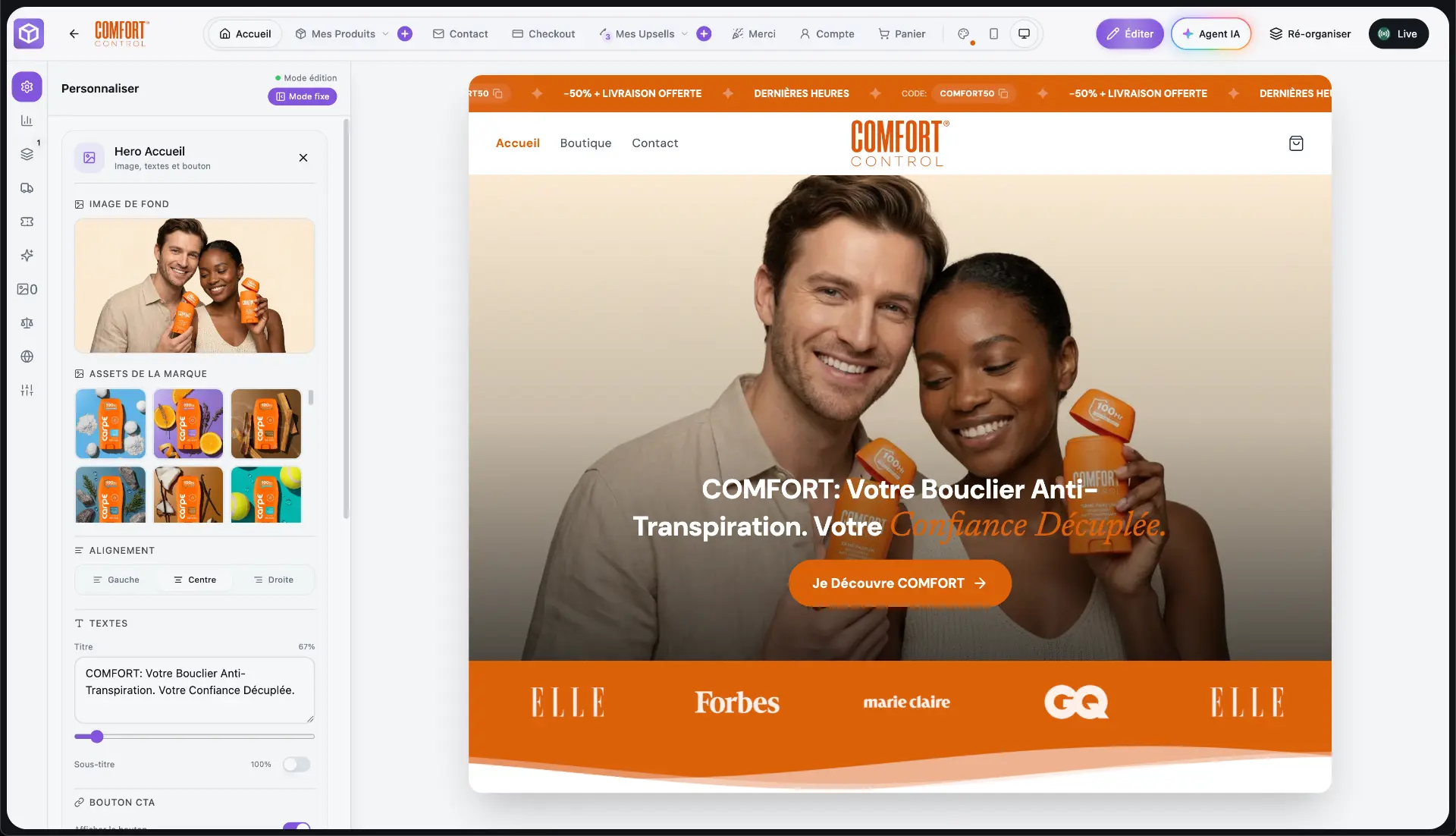
GemPages is a relevant comparison for page building, but landing-page design and checkout control are separate requirements. BrandShipping combines the storefront with a fully customizable checkout, payments, subscriptions, upsells and other commerce functions. Its distinction is shared brand, product and asset context across those functions, rather than a collection of disconnected editors. That makes it a potential replacement for your current page-building workflow, but it does not establish feature parity with every GemPages template, component, integration or custom implementation.
- List the landing-page elements and editing workflows your team actually uses.
- Separate visual requirements from checkout, payment and offer requirements.
- Treat any essential feature without a demonstrated equivalent as an unresolved migration requirement.
Rebuild a representative landing page before committing
Use an existing acquisition page as the acceptance test, preferably one that includes your most demanding layout and offer presentation. Recreate its content hierarchy, product information, images, calls to action and responsive behavior in BrandShipping. Check the published experience rather than relying only on an editor preview. Measure load behavior under comparable conditions and inspect accessibility basics, including heading order, form labels and keyboard navigation. If organic search matters, verify control over page titles, descriptions, URLs, canonical tags and redirects before changing established URLs.
- Test narrow mobile screens, long product names and different image proportions.
- Confirm how reusable sections, custom styling and scripts are handled where required.
- Check that your team can make routine changes without rebuilding the page.
Validate checkout customization through real purchase scenarios
BrandShipping provides a fully customizable checkout and integrates Whop Payments directly into the purchase journey. Validate what that control means for your store by reproducing the checkout layout, customer inputs and offer logic you need. Test successful and failed payments, discount handling, address entry, shipping charges and applicable tax calculations. If you use subscriptions or upsells, verify their presentation and resulting order records. Whop Payments integration does not remove payment-provider acceptance requirements, reserves or other conditions, so confirm those separately from the checkout design.
- Check that landing-page prices and offers remain consistent through payment.
- Validate currency handling for each intended market.
- Confirm subscription terms and recurring charges are clear before purchase.
- Test confirmation messages and customer-facing error states.
Check tracking, customer workflows and your existing logistics
A successful page replacement must preserve the operational path after the click. Verify analytics events, campaign parameters, purchase attribution and duplicate-event handling against your measurement requirements. Check that order and customer information reaches the email and support workflows you intend to use. If you retain your existing agent or 3PL, BrandShipping supports a connector route from a BrandShipping order through Shopify to the logistics provider already connected there. Shopify remains part of that setup, so test the complete relay rather than assuming the platform change removes it.
- Check product and variant mapping, customer addresses and order routing.
- Verify how fulfillment status, tracking details and cancellations are handled.
- If using integrated Meta Ads management, test the Whop Ads connection you connect yourself.
Set switching criteria around demonstrated coverage
Base the decision on a documented acceptance checklist, not the assumption that an integrated platform reproduces every existing tool. BrandShipping is a strong fit to evaluate when your priority is connecting pages, checkout, subscriptions and brand assets in one ecosystem. Keep your current setup available until essential requirements have been demonstrated and a rollback path is clear. Where practical, compare equivalent traffic and offers, accounting for device and market differences. Do not interpret a visual match as evidence of equal conversion performance or operational reliability.
- Approve the switch only after must-have requirements pass.
- Document remaining manual work and any tools you will retain.
- Include Shopify in the retained stack if it still relays orders to your agent or 3PL.
- Review performance using your own store data rather than assumed uplift.
Before you go further
Frequently asked questions

Build a brand, not a disposable store.
BrandShipping brings your store, checkout, payments, subscriptions, AI creatives, Meta Ads and fulfillment into one connected ecosystem.